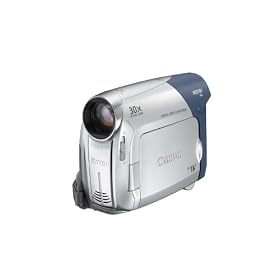
For filming we used a Canon digital video camcorder MD101. We inserted a DV tape to record our footage on. Before we recorded anything we ensured we rewound the tape to the beginning to ensure we didn't record over any other footage. Also before every shot we held a piece of white paper in front of the camera to ensure the tone was correct and the same. From using the camcorder on filming our rough ideas we discovered that it was more effective to move the camcorder than use the zoom on it. The picture was clearer for doing this, an example is when we used the zoom to shoot the wedding picture it was quite blurry so instead we moved the camcorder nearer to it. When filming we used the tri-pod as it gave us a steady base which meant the shots were less shaky. Due to this we had to re-shoot some shots as they had been done hand held and therefore were shaky. Uploading our footage was reasonably easy to do. All we had to do was attach the camcorder with a lead to the iMac. We then had to click import on iMovie06. Before we did this we had to ensure we had rewound the DV tape to the beginning.
When we were filming our rough idea the battery for the camcorder ran out so we had to use a mobile phone camera to shoot half of the rough idea which meant it was really poor quality. This reminded us to ensure the camcorder was fully charged before we took it to film our final piece.

No comments:
Post a Comment